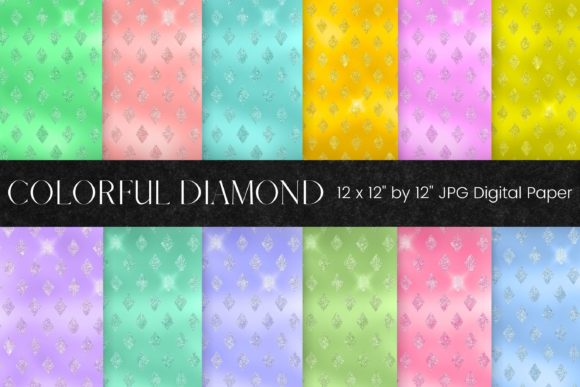
Glitter Digital Texture
If you've ever spent hours trying to replicate that subtle, luminous shimmer of real glitter in a digital design—only to end up with flat, pixelated, or overly harsh effects—you're not alone. Glitter Digital Texture solves that exact problem. It’s not a filter, not a layer style, and definitely not a generic overlay. It’s a curated collection of high-resolution, ready-to-use JPEG files—each one a hand-crafted digital paper infused with authentic-looking glitter texture. Think of it as tactile magic, delivered digitally: soft sparkle in rose gold, bold metallic sheen in midnight navy, delicate frost in pale lavender, warm copper glint on cream—every shade behaves like real light catching real particles.
Where This Glitter Digital Texture Actually Shines (Literally)
This isn’t just “pretty background filler.” Its strength lies in how naturally it integrates into real creative workflows—across industries, skill levels, and output formats. Here’s where users consistently tell us it made their process smoother, faster, or more professional:
- Print-on-Demand Sellers: Whether you're designing greeting cards for Redbubble, wall art for Society6, or tote bags for Printful, consistency matters. A glitter texture that holds up at 300 DPI means your “shimmer” won’t blur, pixelate, or vanish when printed on textured canvas or matte paper. One designer reported switching from layered Photoshop glitter effects (which often misaligned during print prep) to using these JPEGs as base layers—and cut prepress revision time by nearly 60%.
- Social Media Designers & Small Business Owners: Instagram carousels, Pinterest pins, and Facebook event covers need visual pop—but not at the cost of load speed or mobile readability. These JPEGs are optimized for clarity *and* compatibility. They embed cleanly into Canva, Adobe Express, and Figma without color shifts (thanks to RGB mode), and their 4256 x 2832-pixel size gives you room to crop tightly for Stories or stretch wide for cover photos—no stretching, no blur, no guesswork.
- Packaging & Product Designers: Imagine a luxury candle label with a subtle champagne-gold glitter ground, or a handmade soap box with soft silver flecks echoing the product’s natural exfoliants. Because each texture is seamless and neutral in tone—not cartoonish or overwhelming—it supports branding instead of competing with it. Users working with local printers appreciate that there’s no transparency or alpha channel to troubleshoot; it’s a flat, predictable JPEG that prints exactly as previewed.
- Scrapbookers & Memory Keepers: Digital scrapbooking thrives on dimension—and flat color blocks get old fast. With Glitter Digital Texture, you can add quiet elegance to a wedding layout (think pearl-white shimmer behind handwritten vows), playful energy to a birthday collage (rainbow micro-glitter under confetti elements), or vintage warmth to a family history page (antique bronze flecks beneath sepia photos). No clipping masks needed. Just drag, drop, and adjust opacity—often at 30–50%—to let photos and journaling breathe.
- Postcard & Stationery Designers: Physical postcards demand visual interest *before* they’re picked up—and glitter does that instinctively. But foil stamping is expensive and inflexible. These textures give you the eye-catching appeal of foil at a fraction of the cost and time, especially for limited runs or seasonal collections. Bonus: because they’re JPEGs, they integrate smoothly into automated print workflows (like those used by MOO or Vistaprint), avoiding common PDF/X-1a export pitfalls with transparency-heavy files.
What Makes It Work So Well—And When to Pause
The technical specs—300 DPI, RGB mode, 4256 x 2832 pixels—are meaningful *because* they solve actual pain points. High resolution ensures crispness across large-format prints (like posters or signage). RGB keeps colors vibrant on screens—critical if your work lives mostly online. The JPEG format? It’s universally supported, lightweight, and printer-safe. And because every file is a flat image—not a PSD with 12 layers—you don’t need advanced software or training to use it.
That said, it’s worth noting what Glitter Digital Texture isn’t designed for. It’s not a replacement for vector-based glitter patterns if you need infinite scalability (e.g., for massive billboards or embroidery digitizing). It’s also not animated or interactive—so if you’re building web banners with hover-triggered sparkle effects, you’ll want complementary tools. And while the textures are versatile, they’re intentionally subtle: this is *glitter-like texture*, not disco-ball intensity. If your brand voice leans ultra-bold or neon-fueled, you may want to pair these with custom overlays or accent elements—not rely on them alone for maximum contrast.
Real Customization, Zero Complexity
“Easily customizable” isn’t marketing fluff here—it’s baked into how designers actually use these files. You can:
- Adjust opacity to dial shimmer up or down—softening it for elegant stationery, boosting it slightly for festive packaging.
- Overlay text or illustrations directly on top—no blending modes required—because the glitter is part of the base image, not an effect applied later.
- Recolor non-destructively in most editors (using Hue/Saturation or Color Overlay) to match brand palettes—especially helpful if you need that same delicate texture in charcoal gray or sage green.
- Tile seamlessly for borders, dividers, or full-page backgrounds—no visible seams, no awkward repeats.
One craft business owner told us she uses the same rose-gold texture across three entirely different products: as a subtle background for her Etsy banner, as a foil-like element behind product names on her sticker sheets, and as a printed liner inside her custom gift boxes. Same file. Three distinct applications. Zero rework.
Practical Things to Know Before You Download
Since this is a digital download, there’s no shipping, no waiting, and no physical item—just instant access to all files after purchase. That means you can test textures against your current projects within minutes. Keep in mind:
- You’ll receive JPEGs only—no PNGs, no PSDs, no vectors. If your workflow depends heavily on transparency or editable layers, plan accordingly.
- Colors display most accurately on calibrated monitors. If you’re printing professionally, always soft-proof using your printer’s ICC profile—especially for metallic-leaning shades like copper or gunmetal.
- Because each texture is unique (not algorithmically generated), the “feel” varies intentionally: some have finer particles for subtlety, others feature bolder flecks for impact. Flip through thumbnails before selecting—you’ll quickly sense which matches your project’s mood.
At its core, Glitter Digital Texture is about removing friction—not adding more steps. It’s for the illustrator who wants shimmer without spending hours on layer masks. For the small-batch maker who needs print-ready elegance without markup fees. For the memory keeper who wants joy, not jargon. It doesn’t ask you to learn a new tool. It simply gives you beautiful, reliable, glitter-infused ground to build on—immediately.