Koala Christmas Design Pattern: A Practical Guide for Crafters and Designers
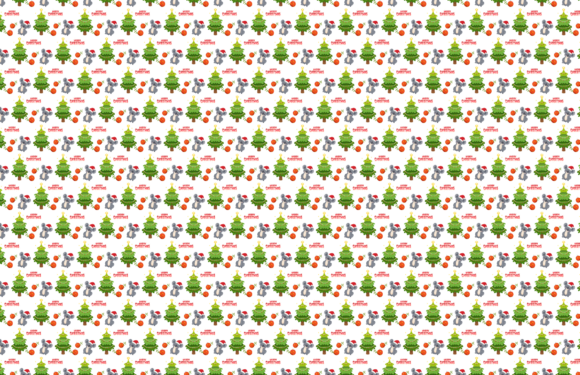
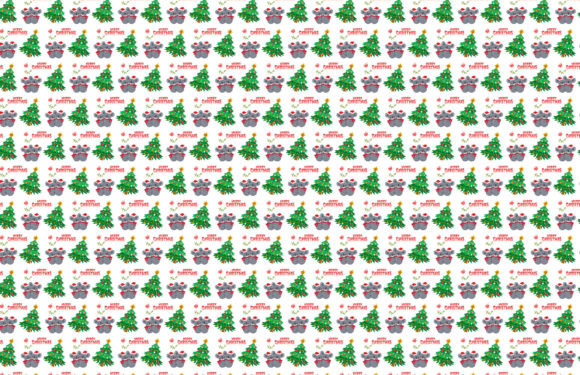
The Koala Christmas Design Pattern is a curated digital design resource centered on festive, nature-infused holiday motifs—featuring stylized koalas in seasonal settings like snow-dusted eucalyptus branches, cozy scarves, or holding miniature ornaments. Unlike generic Christmas clipart or mass-produced vector bundles, this pattern emphasizes gentle anthropomorphism, warm color palettes (think muted forest greens, cream, terracotta, and soft charcoal), and intentional negative space—making it especially suitable for print-on-demand products, handmade greeting cards, fabric prints, and small-batch decor.
What Sets This Pattern Apart from Other Holiday Designs
Most Christmas-themed design assets fall into one of two categories: highly detailed illustrative scenes (often over-complex for scaling or embroidery) or minimalist geometric icons (which can feel impersonal or overly trendy). The Koala Christmas Design Pattern occupies a deliberate middle ground—it’s expressive enough to convey warmth and character, yet clean and scalable enough for practical application across mediums.
Its distinctiveness lies not just in subject matter but in execution: the koala forms are simplified without losing recognizability, outlines are consistent and stroke-friendly, and key elements (like paws, ears, and foliage) are designed with cut-file precision in mind—especially important for users working with vinyl cutters or laser engravers.
Format Flexibility: Why Six File Types Matter in Practice
The Koala Christmas Design Pattern is delivered in six widely supported formats: AI, EPS, SVG, JPG, PNG, and DXF. That’s not just a marketing detail—it reflects real-world workflow diversity.
- AI and EPS files preserve vector scalability and layer integrity, ideal for designers using Adobe Illustrator who need to adjust colors, isolate elements, or prepare files for professional printing.
- SVG files integrate smoothly with Cricut Design Space, Silhouette Studio, and web-based editors—offering live path editing and responsive resizing without quality loss.
- DXF files serve users of CNC routers, laser cutters, and certain CAD platforms where vector paths must be interpreted as toolpaths—not just visual objects.
- PNG files include transparent backgrounds and are ready for immediate use in Canva, PowerPoint, or social media graphics—no background removal needed.
- JPG files provide high-resolution raster versions optimized for previewing, mockups, or digital presentations where transparency isn’t required.
This breadth means you’re not locked into one software ecosystem. A teacher preparing classroom decorations might rely on PNGs in Google Slides; a small-business owner printing tote bags may start with AI and export separations for screen printing; a woodworker building custom ornaments will likely use the DXF version directly in LightBurn or similar firmware.
Canvas Consistency: 1920 × 1280 px Across All Formats
Each file maintains a uniform canvas size of 1920 px × 1280 px—larger than standard web banners but smaller than ultra-high-res print templates. This isn’t arbitrary. It balances clarity for on-screen review and editing with manageable file sizes, while still allowing comfortable scaling down for business cards (3.5" × 2") or up for wall decals (up to ~24" wide at 150 DPI).
Crucially, this fixed canvas doesn’t constrain creativity. Because all vector formats retain full editability, you can crop, reposition, or tile the pattern freely—unlike raster-only assets that degrade when enlarged beyond native resolution.
Real-World Use Cases and Fit Assessment
The Koala Christmas Design Pattern shines in contexts where brand personality, tactile appeal, and reproducibility intersect:
- Small-batch apparel: Its clean lines translate well to heat-transfer vinyl and direct-to-garment printing—especially on natural-fiber tees or organic cotton sweatshirts where subtlety reads better than bold gradients.
- Stationery and paper goods: The balanced spacing and moderate detail make it legible at 2" × 2" on gift tags or elegant at 8.5" × 11" on folded cards—without requiring manual simplification.
- Home décor projects: Think stenciled wall art, embroidered pillow patterns, or etched glassware—where clarity of shape matters more than photorealism.
It’s less suited for applications demanding photorealistic texture (e.g., high-end magazine illustrations), animation-ready layered rigs (no frame-by-frame variants included), or multi-language localization (text elements aren’t part of the base pattern).
Comparing Editability and Workflow Integration
Many holiday design packs offer “editable” claims—but what that means varies. With the Koala Christmas Design Pattern, editability is built into the structure: anchor points are simplified but precise, grouped layers follow logical naming conventions (e.g., “Koala_Body,” “Branch_Top”), and color swatches are organized—not scattered across unnamed layers.
In contrast, some free or low-cost alternatives embed raster effects, ungrouped compound paths, or embedded fonts that break when opened outside their native software. Others lock elements inside clipping masks that require extra steps to unlock and modify. Here, even beginners can change a koala’s scarf color in three clicks—no tutorial needed.
When to Choose This Pattern—and When to Look Elsewhere
Consider the Koala Christmas Design Pattern if:
- You value cohesive, repeatable motifs over standalone icons—this is a true *pattern*, designed to tile seamlessly or serve as a unified visual theme.
- Your output spans both digital and physical outputs (e.g., Instagram posts + printed wrapping paper), and you want one source file that adapts cleanly to each.
- You work across multiple tools (e.g., Illustrator for print prep, Cricut for craft cutting, Canva for client proposals) and need interoperability—not just compatibility.
Look elsewhere if:
- You need photorealistic rendering or complex lighting effects—vector flatness is intentional here, not a limitation to overcome.
- Your project requires animated sequences, interactive web elements, or 3D modeling integration—the pattern is 2D and static by design.
- You’re sourcing assets for commercial resale *as-is* (e.g., selling unmodified PNGs on marketplaces)—check the license terms separately, as usage rights vary by platform and purchase tier.
Practical Tips for Getting Started
Before diving in, ask yourself two questions: What’s my primary output medium? and How much customization do I realistically need? If you’re laser-cutting wooden ornaments, start with the DXF. If you’re designing a Shopify banner, the PNG or SVG will get you there fastest. And if you plan to recolor or rearrange elements regularly, open the AI or EPS first—then save derivatives in your preferred working format.
Also note: because the canvas is fixed and centered, avoid assuming automatic tiling. While the pattern geometry supports repetition, you’ll need to manually duplicate and align for seamless repeats—something easily done in Illustrator (Object > Pattern > Make) or Inkscape (Extensions > Create Patterns from Selection). This gives you control over spacing and alignment rather than relying on pre-baked tiles that may not suit your substrate.
A Balanced Choice for Intentional Creators
The Koala Christmas Design Pattern doesn’t try to be everything. It’s not the flashiest holiday asset online, nor the most technically exhaustive. But it delivers consistent quality, thoughtful format coverage, and quiet versatility—traits that matter most when deadlines loom and tools change. For makers, educators, small studios, and DIY enthusiasts who prioritize reliability over novelty, it offers a grounded, adaptable foundation—not just decoration, but a functional starting point.